
Integrating Ads into Your Telegram Bot
After your block is created and approved, you can start showing ads in your Telegram bot.
Step 1 — API Request
Send a GET request to:
https://api.adsgram.ai/advbot?tgid={TELEGRAM_USER_ID}&blockid={BLOCK_ID}&language={LANGUAGE}&token={your_token}
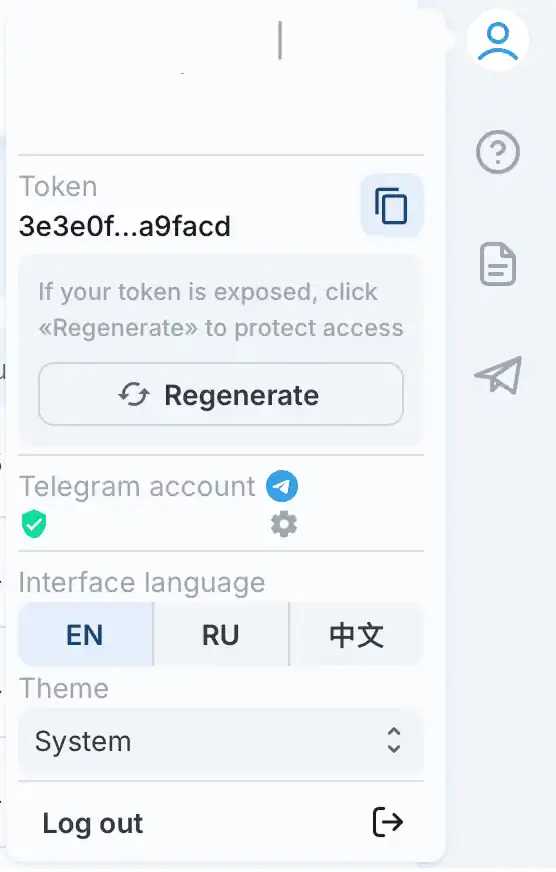
tgid— Telegram user IDblockid— your Ad Block ID (from dashboard)language— desired language of adstoken— a unique token linked to your account, available in the AdsGram cabinet (can be regenerated).
To obtain thetoken, go to your profile in the top right corner and click the button .
.
IMPORTANT
Use only the numeric part of the blockid, without the bot- prefix.
Step 2 — Handling the Response
The API returns:
JSON
{
  "text_html": "<a href='https://api.adsgram.ai/short/AwJ8ughbhDH'>Follow Velo For The Coming Big Announcement</a>\n<a>\nVelo\n\nMiss the Velo X Blackrock announcement previously?\nFollow Velo X now!\n\n<a href='https://api.adsgram.ai/short/DvvpNWxAtaG'>Click here to claim the reward after completing task!</a>\nAd. 18+</a>",
  "click_url": "https://api.adsgram.ai/short/AwJ8ughbhDH",
  "button_name": "Follow us!",
  "image_url": "https://images.adsgram.ai/3d618923-ba5f-4589-a3a8-ed97bd301435",
  "button_reward_name": "Claim reward!",
  "reward_url": "https://api.adsgram.ai/short/DvvpNWxAtaG"
}
Step 3 — Send the Ad
Use the returned data to build your message:
text_html→ message text (HTML format)image_url→ ad imagebutton_name+click_url→ inline buttonbutton_reward_name+reward_url→ inline buttonParseMode= HTML
✅ Example implementation available in previous section.
IMPORTANT
text_htmlcontains HTML tags. Always set ParseMode.HTML in your bot framework.- Ad messages sent via the bot must not be forwardable.
You should use Telegram message types that prevent forwarding, such as sendPhoto or sendMessage with the protect_content=True parameter in the Telegram API.