
How to Launch a Telegram Ads Campaign via AdsGram
With AdsGram, you can launch advertising campaigns in Telegram Ads and choose from different targeting and placement options.
The following formats are available:
- Target Users — post in channels, banner in videos and bots with flexible audience targeting.
- Selected Channels — ads in specific channels that you select, with text, URL, and an image or video.
- Search — ads displayed in Telegram search results.
- Bots — ads placed in Telegram bots.
Deposit
When launching your first campaign in Telegram Ads, $500 will be frozen in your account. These funds will be used exclusively for Telegram Ads campaigns. The deposit is made once and unlocks all regions and languages — no deposit will be required for subsequent campaigns.
The unspent portion of the deposit is non-refundable if impressions have started under the advertising campaign.
If a campaign is rejected, the reserved funds will be automatically released within 24 hours, provided that no funds have been spent from the deposit and there are no other approved Telegram Ads campaigns on the account.
WARNING
If there are insufficient funds in your account to make a deposit, campaign creation is not possible. How can I top up my balance?
Before launching a campaign, be sure to read the Telegram Ads campaign moderation rules.
1. Register in the advertiser's personal account
Sign up or log in to the advertiser's personal account.
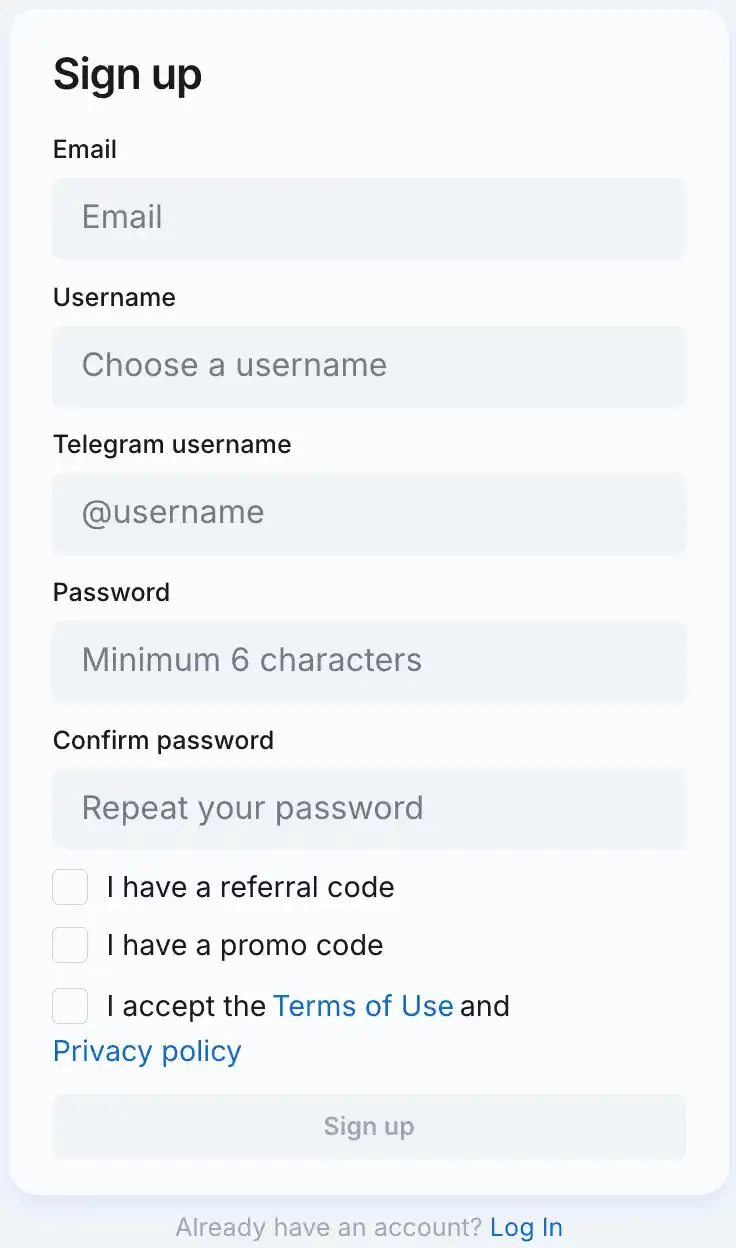
WARNING
If you have already connected to our network as a publisher, it is important to authorize in the advertiser's account under the same login that you used to register in the publisher's account. So we automatically won't show ads that lead to your app inside your app.
2. Open the campaign builder
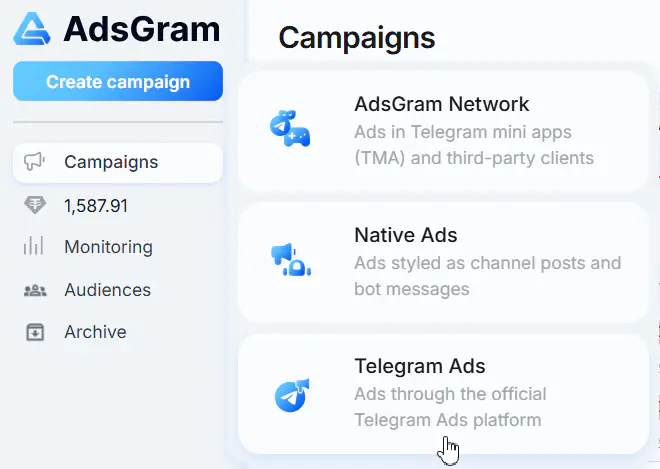
- On the Campaigns page, click the
Create campaignbutton (top-left). - A campaign-type menu appears.
- Click Telegram Ads.
3. Choose the campaign type
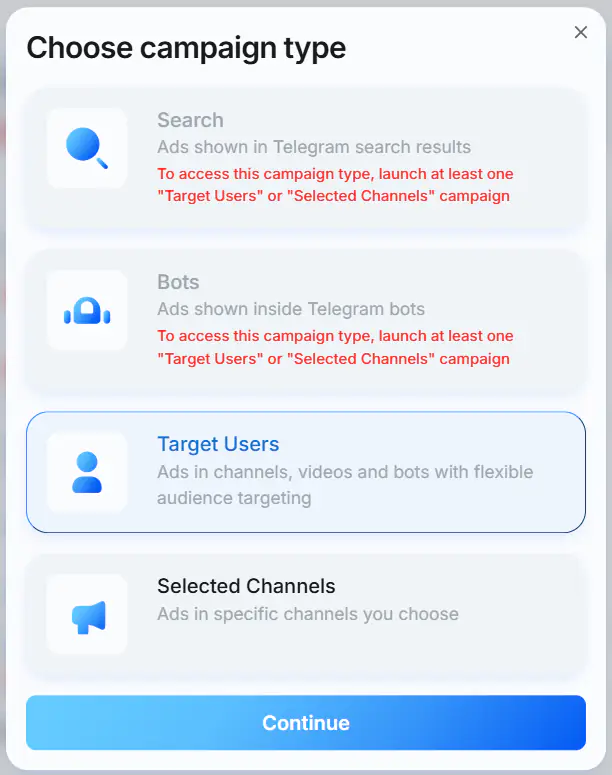
A modal titled "Choose campaign type" opens with the following options:
- Target Users — ads in channels, videos and bots with flexible audience targeting.
- Selected Channels — post in specific channels you choose with text, URL, and image or video.
- Search — ads shown in Telegram search results.
- Bots — ads shown inside Telegram bots.
WARNING
To access the Search or Bots campaign type, launch at least one Target Users or Selected Channels campaign.
Select the campaign type, then click Continue.
4. Name the campaign
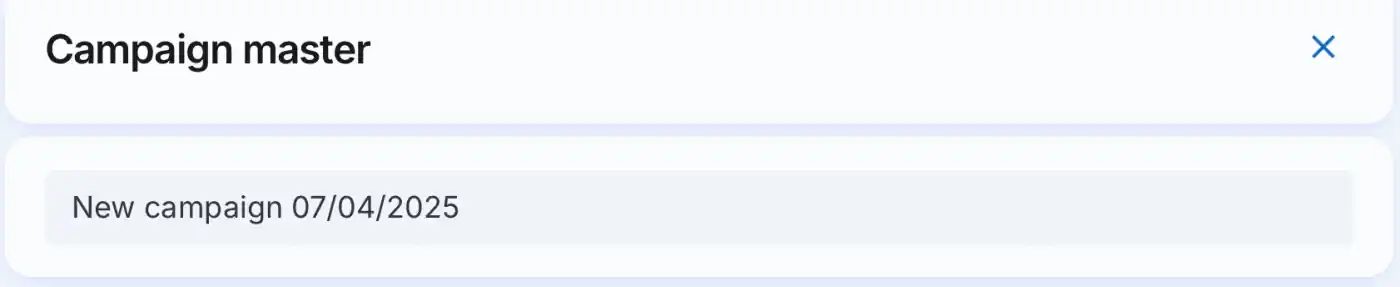
At the top of the Campaign master, the name field is pre-filled (e.g. New campaign 07/04/2025). Enter the campaign name.
5. Placement selection
INFO
Available only for the Target Users campaign type.
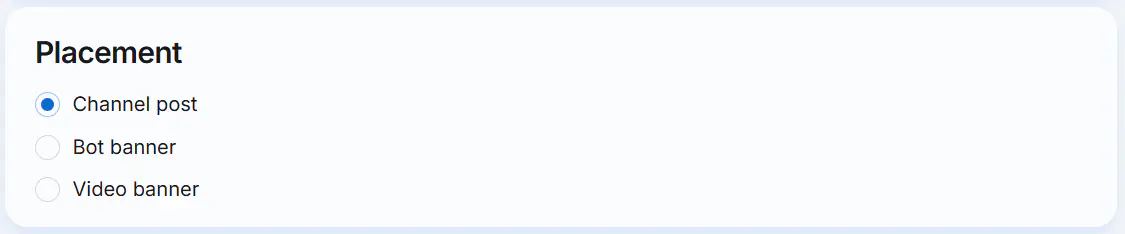
Select where you want your ad to be displayed:
Channel postBot bannerVideo banner
6. Fill in the "Ad content" section
You can set a custom name for the ad. To do this, click the pencil icon next to its current name.
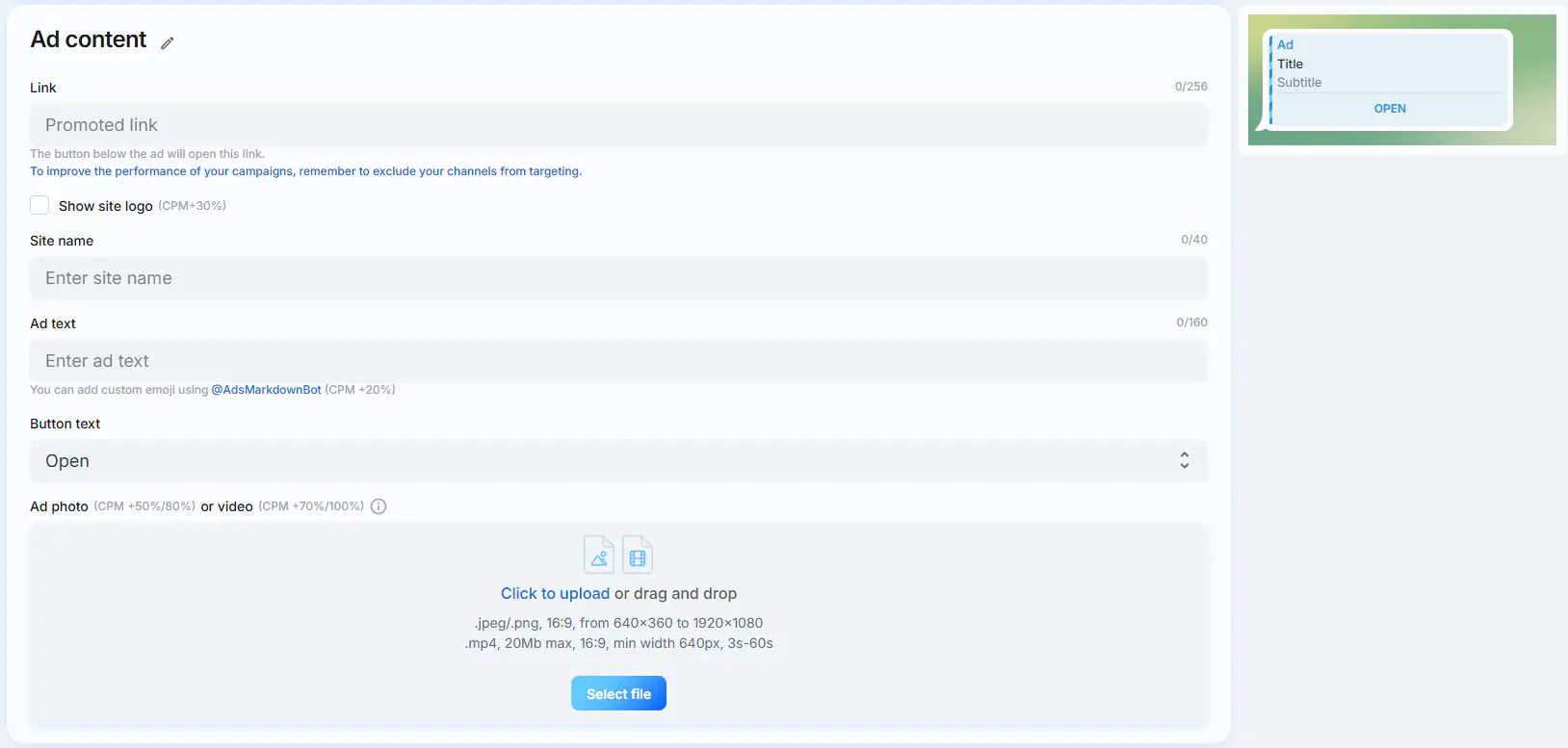
As you fill in the fields, an up-to-date preview of the ad is displayed on the right. The available fields depend on the campaign type and selected placement.
Available for all campaign types:
- Link (0/256) — the button below the ad will open this link.
Note: "To improve the performance of your campaigns, remember to exclude your channels from targeting." - Channel link (0/256) — displayed if a Telegram invite link is provided. Enter the link to the Telegram channel.
Available for all campaign types except Search:
- Show site logo / avatar (CPM +30%) — enable the checkbox to add a website logo or avatar to the ad.
- Site name (0/40) — displayed if an external link is provided. Enter the website name.
- Ad text (0/160)
Note: "You can add custom emoji using @AdsMarkdownBot (CPM +20%)."
Available only for the Selected Channels and Target Users campaign types with the Channel post placement:
- Button text —
Openis used by default. Other options are available in the dropdown menu when you click the Button text field. - Ad photo (CPM +50%/80%) or video (CPM +70%/100%) — click the field to upload a file or drag and drop a file into the corresponding area.
- Photo:
.jpeg/.png, 16:9, from 640×360 to 1920×1080. - Video:
.mp4, 20 MB max, 16:9, min width 640px, 3s–60s.
- Photo:
Below is an example of the Ad content block for a Target Users campaign with the Channel post placement. The Ad content block may look different for other campaign types and placements, as some fields are only available for specific formats.
7. Fill in the "Targeting" section
WARNING
Target parameters can't be changed after the ad is created.
Each field has a ? tooltip.
Target Users ad format
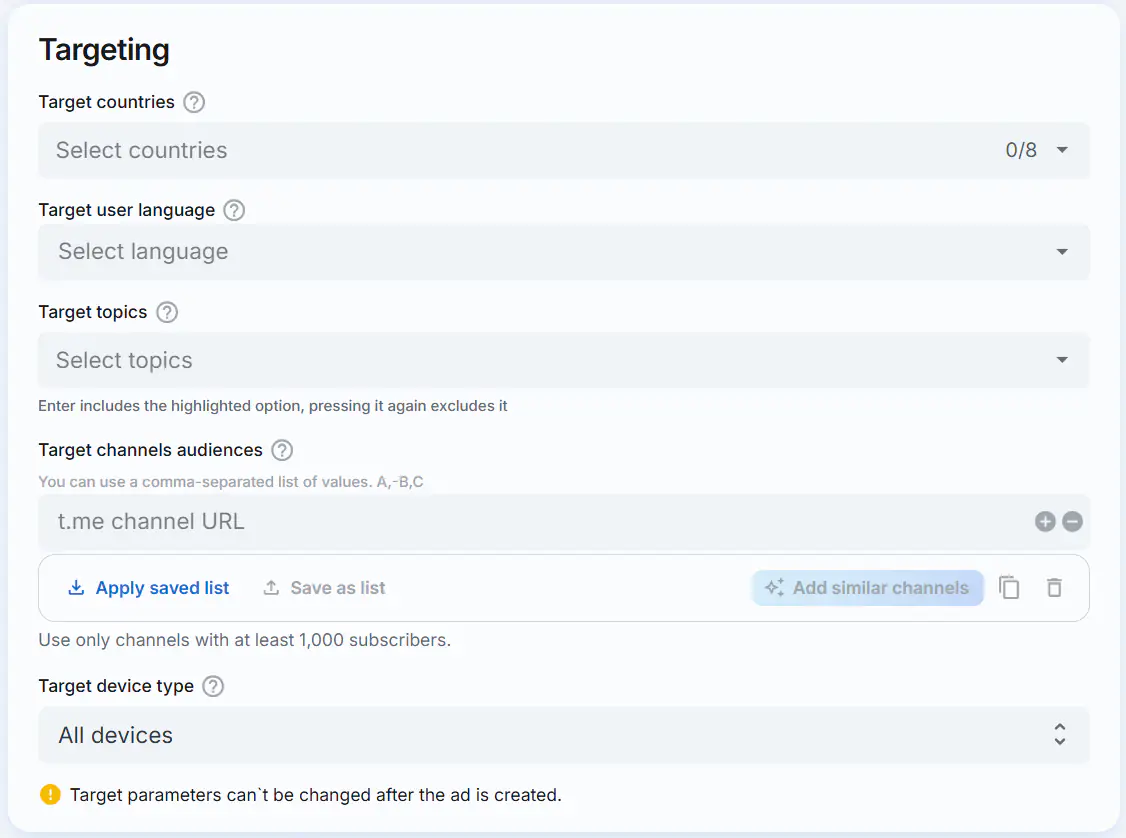
Target countries (this field is required)
- Tooltip: "Target users from selected country."
- You can select from 1 to 8 countries simultaneously.
Target user language (this field is required)
- Tooltip: "Target all users that use selected language."
- Select language.
Target topics
- Tooltip: "List target topics you are interested in or want to exclude. (Optional)"
- Each topic has a green
+(include) and a red×(exclude). Enterincludes the highlighted option, pressing it again excludes it.- The total number of targeted and excluded topics must not exceed 20.
Target channels audiences
- Tooltip: "Target the audiences of specific channel listed here or exclude audience of specific channels."
- Note shown under the field: "You can use a comma-separated list of values. A,-B,C"
- Enter a
t.mechannel URL. Use the+/−buttons to add or remove rows. - The total number of target and excluded channels must not exceed 100.
- Use only channels with at least 1,000 subscribers.
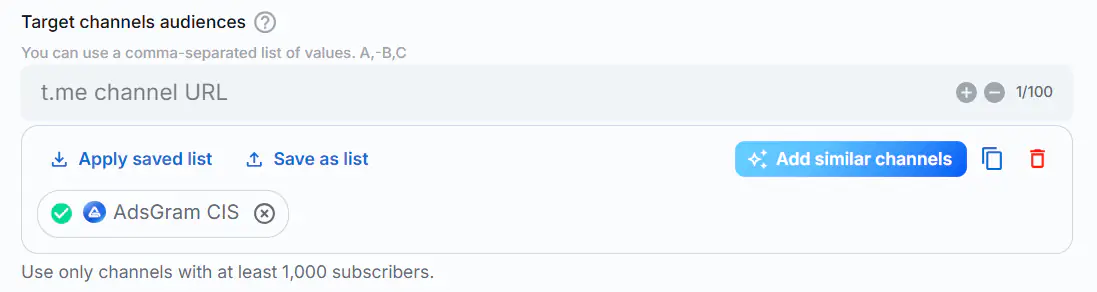
- Once a channel is added, you can automatically include similar ones by clicking the
Add similar channelsbutton. - Click
Save as listto save the current channel list. In the window that opens, enter a name for the list and clickSave.

- Click
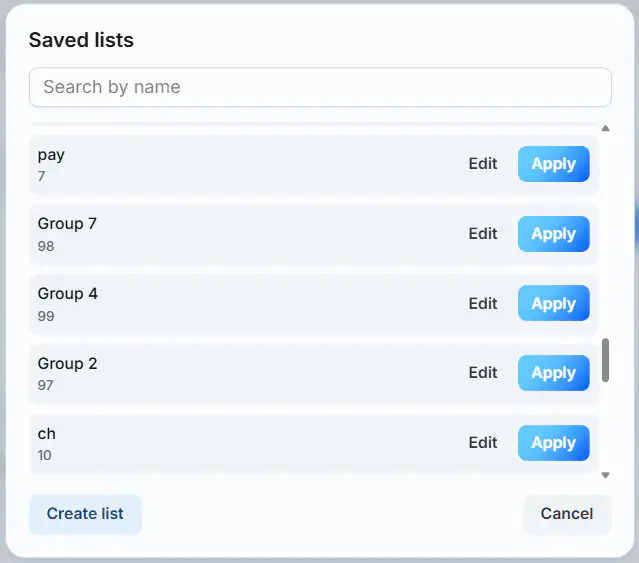
Apply saved listto select and open a previously saved list of channels. You can use the search bar in the pop-up window to find a list by its name. Select the desired list and clickApply. Saved lists can also be modified by clicking theEditbutton, or you can create a new list by clickingCreate list.
Target device type
- Tooltip: "Target users using the selected device type."
- Options:
All devices,Android,iOS,Mobile,Desktop.
Selected Channels ad format
WARNING
- The language of the ad text must match the language of the target channels.
- Targeting is prohibited for channels in:
- Armenian
- Azerbaijani
- French
- Georgian
- Kazakh
- Russian
- Ukrainian
- Uzbek
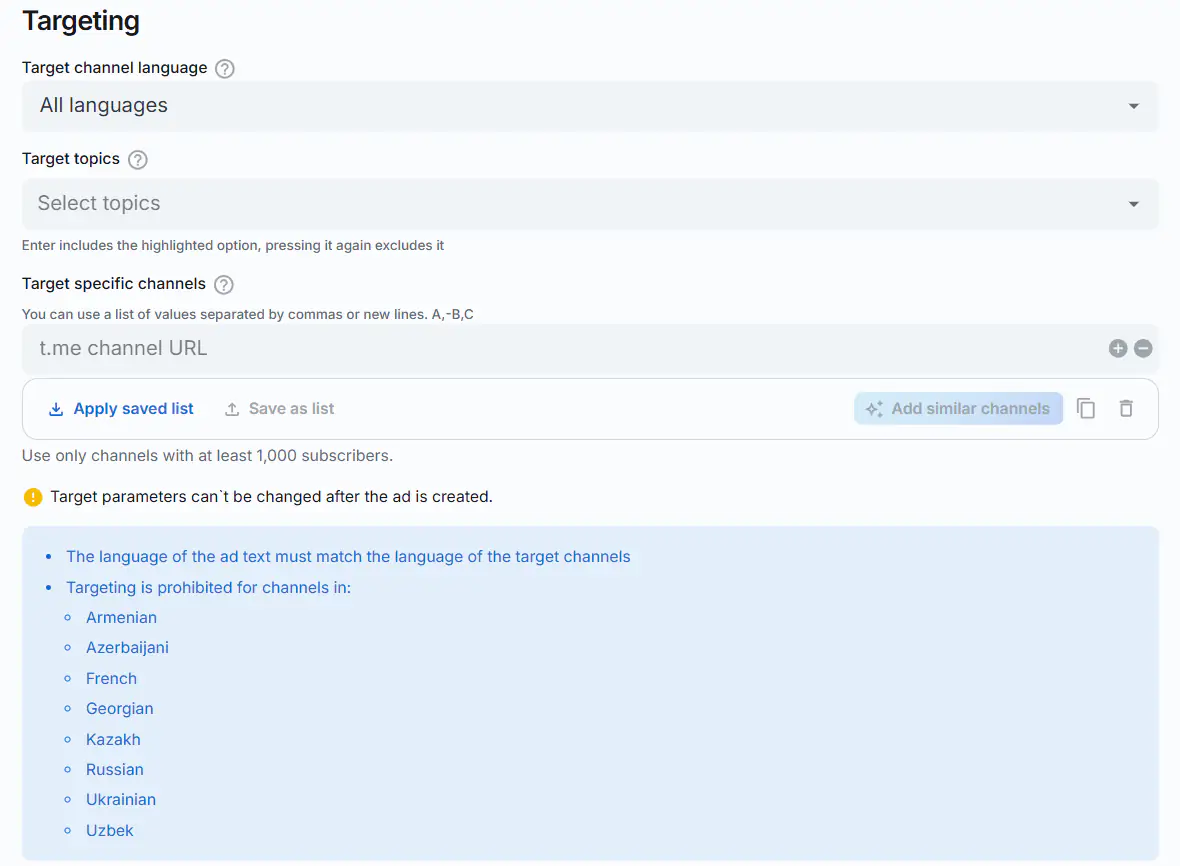
Target channel language
- Tooltip: "Target all channels that publish their messages in the selected language."
- Select language. By default, all languages are selected.
Target topics
- Tooltip: "List target topics you are interested in or want to exclude. (Optional)"
- Each topic has a green
+(include) and a red×(exclude). Enterincludes the highlighted option, pressing it again excludes it.- The total number of targeted and excluded topics must not exceed 20.
Target specific channels
- Tooltip: "List specific channels you'd like to add in addition to your selected topics or exclude from targeting (Optional)."
- Note: "You can use a comma-separated list of values. A,-B,C".
- Enter a
t.mechannel URL. Use the+/−buttons to add or remove rows. - The total number of target and excluded channels must not exceed 100.
- Use only channels with at least 1,000 subscribers.
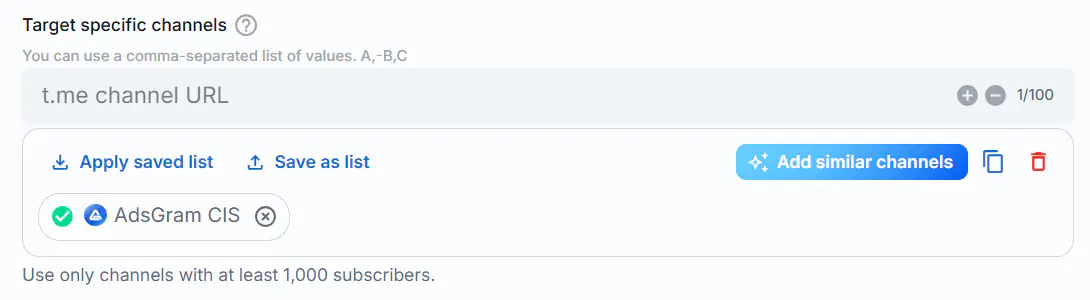
- Once a channel is added, you can automatically include similar ones by clicking the
Add similar channelsbutton. - Click
Save as listto save the current channel list. In the window that opens, enter a name for the list and clickSave.
- Click
Apply saved listto select and open a previously saved list of channels. You can use the search bar in the pop-up window to find a list by its name. Select the desired list and clickApply. Saved lists can also be modified by clicking theEditbutton, or you can create a new list by clickingCreate list.
Bots ad format
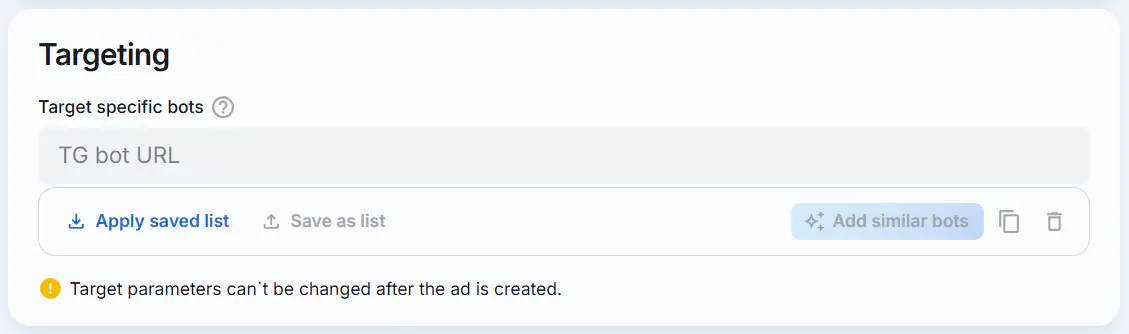
Target specific bots
- Tooltip: "List specific bots you'd like to target".
- Click the TG bot URL field. In the window that appears, enter the list of bots — each value on a new line — and click
Save.
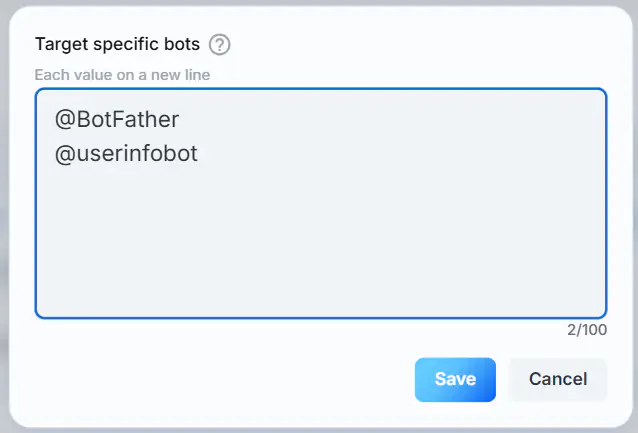
- The total number of target bots must not exceed 100.
- Once a bot is added, you can automatically include similar ones by clicking the
Add similar botsbutton.
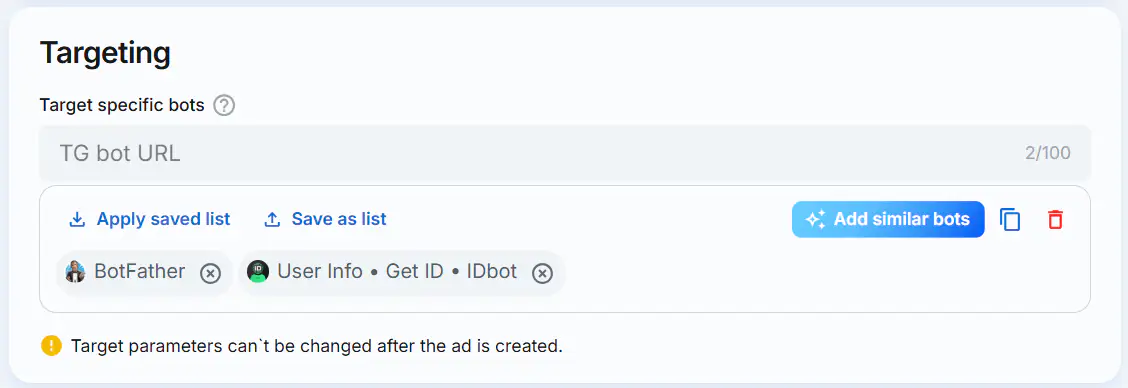
- Click
Save as listto save the current bots list. In the window that opens, enter a name for the list and clickSave.
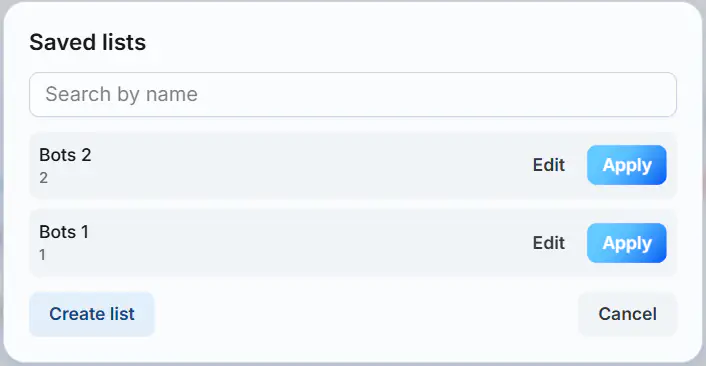
- Click
Apply saved listto select and open a previously saved list of bots. You can use the search bar in the pop-up window to find a list by its name. Select the desired list and clickApply. Saved lists can also be modified by clicking theEditbutton, or you can create a new list by clickingCreate list.
Search ad format
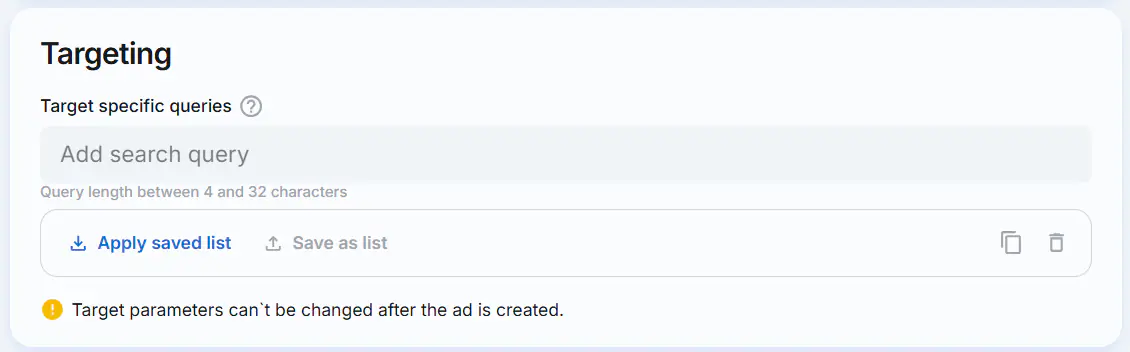
Target specific queries
- Tooltip: "List specific search queries you'd like to target".
- Click the Add search query field. In the window that appears, enter a list of search queries, with each value on a new line. The length of a single query must be between 4 and 32 characters. Click
Save.
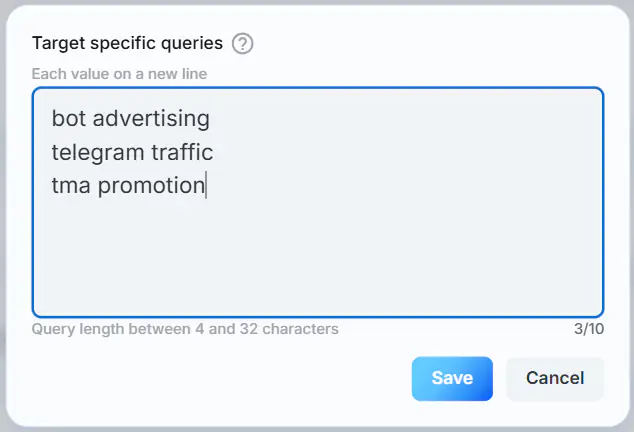
- The total number of search queries must not exceed 10.
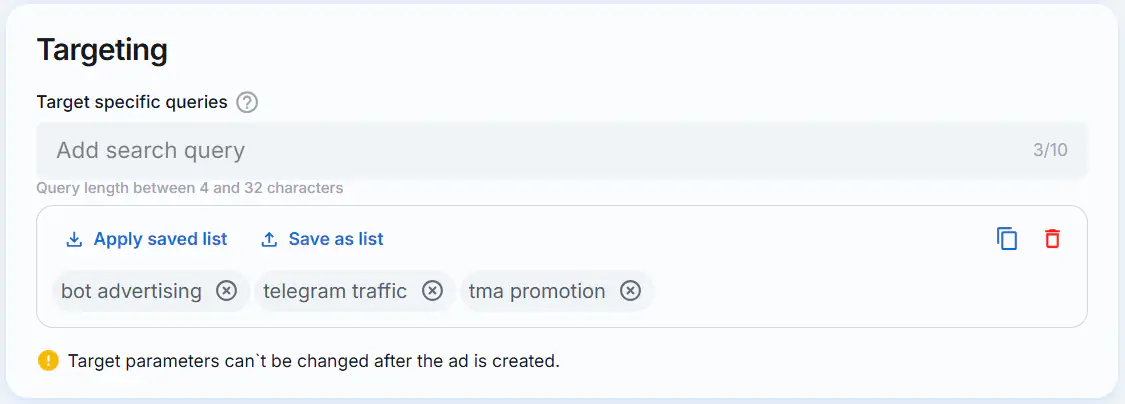
- Click
Save as listto save the query list. In the window that appears, enter a name for the list and clickSave.
- Click
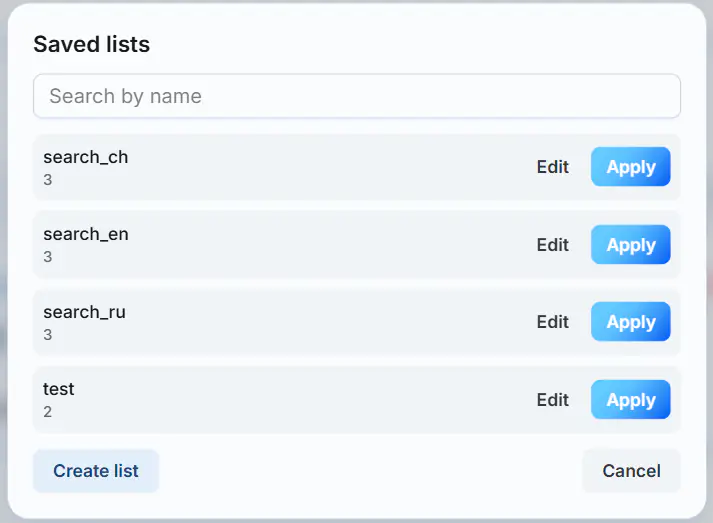
Apply saved listto select and load a previously saved query list. In the window that appears, you can use the search field to find a list by name. Find the list you need and clickApply. You can also modify existing lists using theEditbutton or add a new one by clickingCreate list.
8. Fill in the "Strategy" section
Pricing Model
Depending on the selected pricing model, different optimization options are available:
CPM
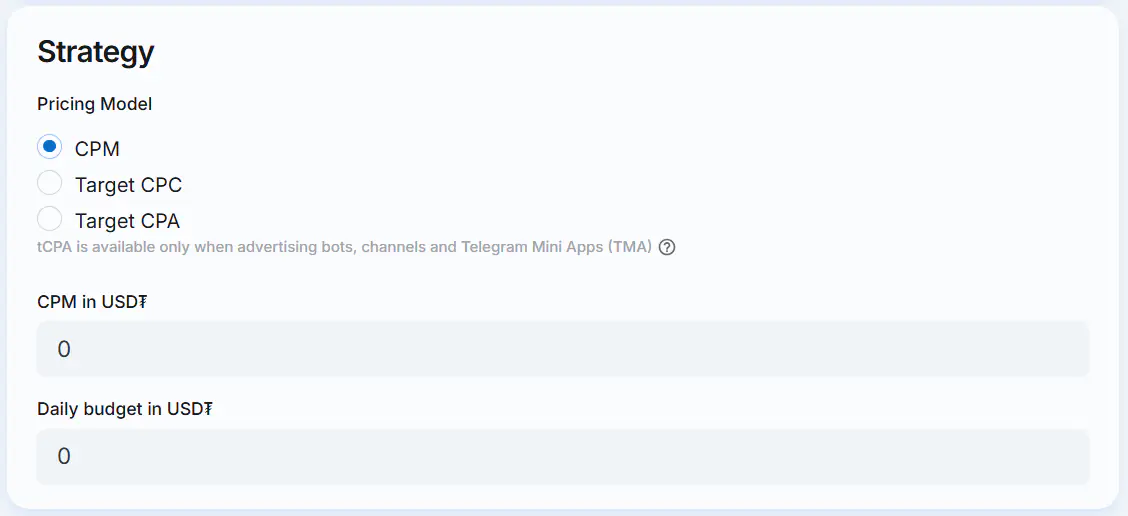
Specify the following parameters:
- CPM in USD₮ — cost per 1,000 impressions. Value must be at least 1.5 USD₮.
- Daily budget in USD₮ — value must be at least 10 USD₮.
Target CPC (tCPC)
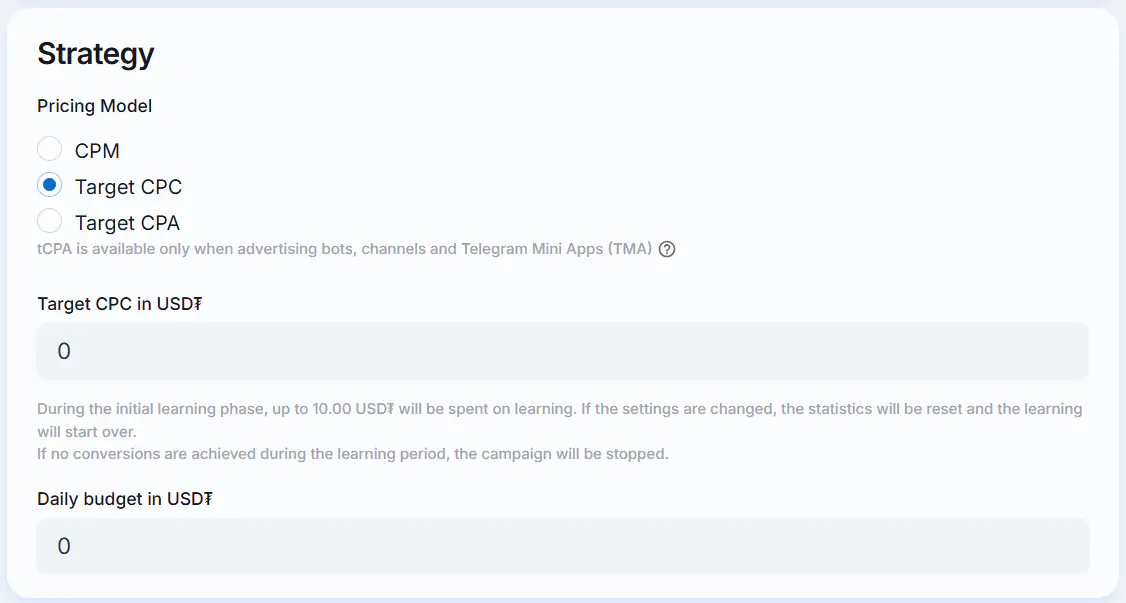
When choosing Target CPC (tCPC) as the preferred pricing model, you are charged per 1,000 impressions. At the same time, the algorithm optimizes ad delivery toward users who are more likely to click, so that the actual cost per click does not exceed the Target CPC.
Specify the following parameters:
- Target CPC in USD₮ — target cost per 1 click. Value must be at least 0.15 USD₮.
- Daily budget in USD₮ — value must be at least 10 USD₮.
Target CPA (tCPA)
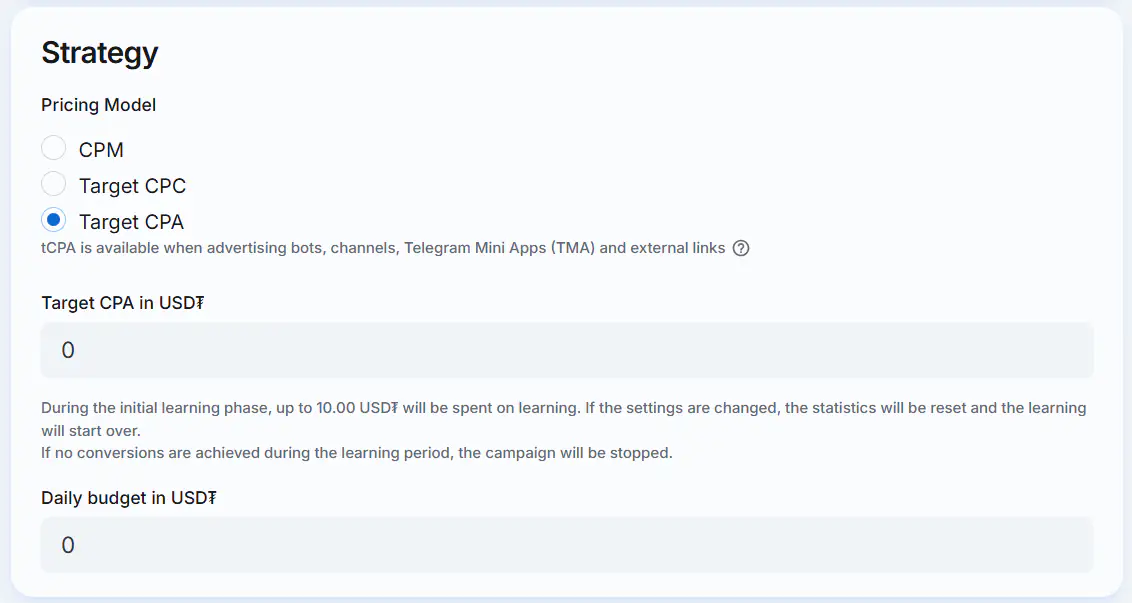
Target CPA (tCPA) allows you to optimize a campaign for conversions at a specified target cost per conversion. You are charged per 1,000 impressions, while the algorithm optimizes impressions toward audiences that are more likely to convert, so that the actual cost per conversion does not exceed the Target CPA.
For Telegram Mini Apps (TMA), bots, and channels, the following conversion events are tracked as Goal 1 by default:
- TMA — mini app launch;
- Bot — bot launch;
- Channel — channel subscription.
Conversions are tracked automatically, so no additional setup is required.
For web landing links, see Tracking — Telegram Ads campaigns links for more information on configuring conversion tracking.
Specify the following parameters:
- Target CPA in USD₮ — target cost per 1 conversion. Value must be at least 0.01 USD₮.
- Daily budget in USD₮ — value must be at least 10 USD₮.
WARNING
During the initial learning phase, up to 10.00 USD₮ will be spent on learning. If the settings are changed, the statistics will be reset and the learning will start over. If no conversions are achieved during the learning period, the campaign will be stopped.
9. Launch the campaign
Click the Create Campaign And Launch button at the bottom of the Campaign master.

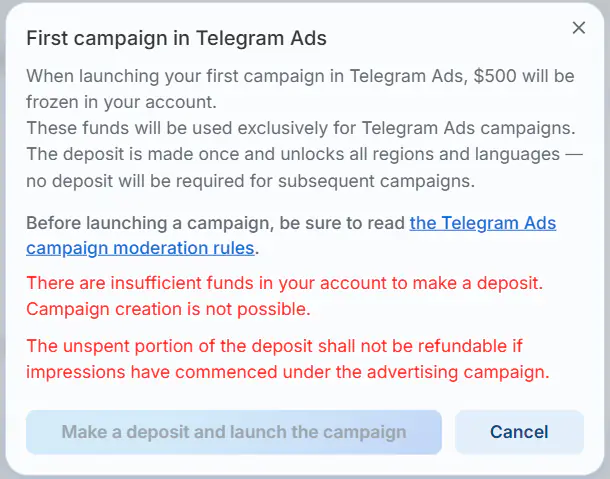
If this is your first Telegram Ads campaign, you will see a pop-up window with the following information:
When launching your first campaign in Telegram Ads, $500 will be frozen in your account.
These funds will be used exclusively for Telegram Ads campaigns. The deposit is made once and unlocks all regions and languages — no deposit will be required for subsequent campaigns.
Before launching a campaign, be sure to read the Telegram Ads campaign moderation rules.
If your account balance is insufficient to launch the first campaign, the Make a deposit and launch the campaign button will be deactivated and a warning message will be displayed in the modal window:
There are insufficient funds in your account to make a deposit. Campaign creation is not possible.
How can I top up my balance?
If there are enough funds in your account balance to make the deposit, click Make a deposit and launch the campaign.
🎉 The campaign was created, congratulations!
After passing moderation, the campaign status will change to "Ready to start". Once started, the campaign will become active and start showing ads to Telegram users. Shortly after the launch, you will be able to view the campaign analytics.
10. Changing campaign parameters
After reviewing the statistics and subsequent analysis, you might want to change the campaign settings.
- If you edit ad content (ad text, photo), the campaign will go back into moderation.
- Changes to strategy do not require additional moderation.
- Targeting parameters can't be changed after the ad is created.